
POI's display on map search function
Submitted by Sergiu • #555 • Oct 22, 2026 • updated Oct 29, 2026
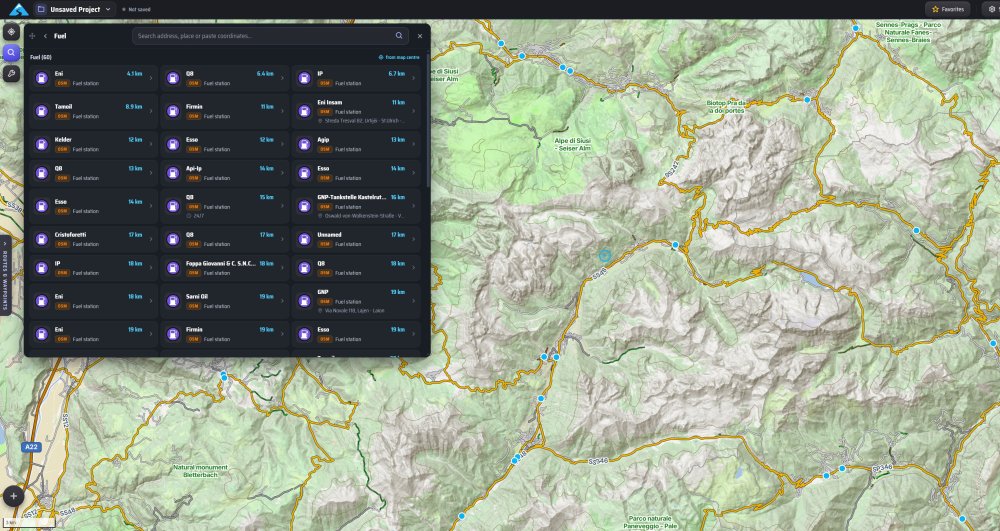
Here are some suggestions to improve the experience when map search function is used and POI's list is displayed:
- display the POI specific icon on the map view instead of simple dashes which are generic for all POI's.
- display the POI name near the icon on the map view
- when user moves the mouse over the POI's cards from the search result menu to highlight those POI's on the map view (make them stand out) for easy identification without having to click & focus on each POI (useful when there are several POI's of the same name nearby ie: gas stations.)
- add some transparency for the menu that overlays the map so something can be spotted behind or allow the user to resize the results window.
Discussion (0)
0
Vote
No comments yet — be the first to chime in.