
In gpx files manager, now way to tell if track is on or off?
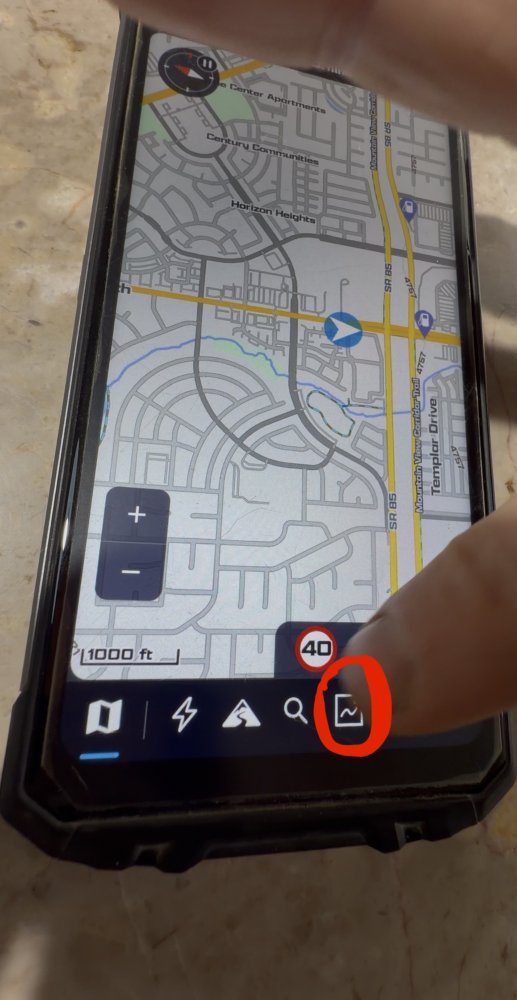
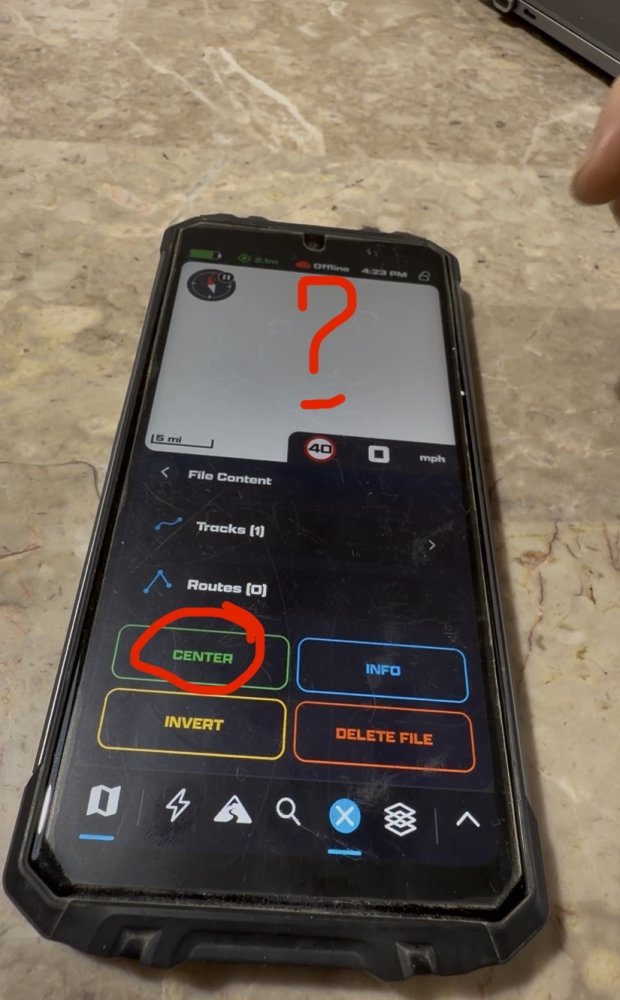
Tapping the small paper icon with the squiggly line on it - in the GPX files manager, after selecting a gpx file (a track?) when looking at the options in that file, theres no way to tell if the track is set to visible or hidden.
Therefore, when tapping the big green “CENTER” button, the map displays a blank screen (because the map file is also not on). So no map file and no track are displayed.
It appears broken, but is not.
Any indicator that would show if the track is set to visible or not, or a toggle to make it visible from this page would be helpful.
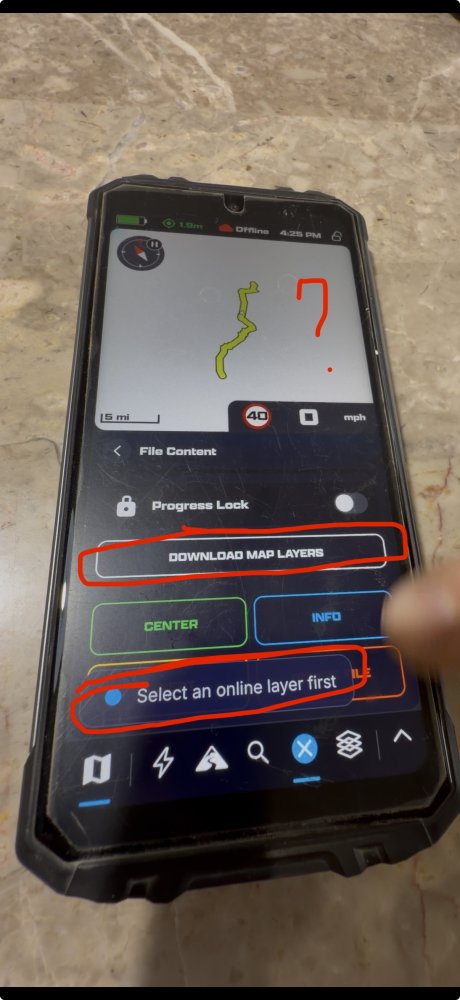
Also, tapping “Download Map Layers” on that same screen produces a cryptic message saying “Select and Online Layer First”.
This is not an intuitive help message.
One would think tapping this button would automatically start downloading the map that goes to the track that we’re currently looking at… but it does not.
Im sure that reading the manual would clarify this, but clearly the button should download the missing map, not fo whatever else its trying to do.
Each track, route and waypoint now has a Visible on Map switch at the top of its page, and Download Map Layers only shows when an online layer can be cached. It's in DMD2 4.039.