
No way to get back to DMD2 when trying to open or download a file.
Submitted by [email protected] • #387 • Sep 1, 2026 • updated Oct 21, 2026
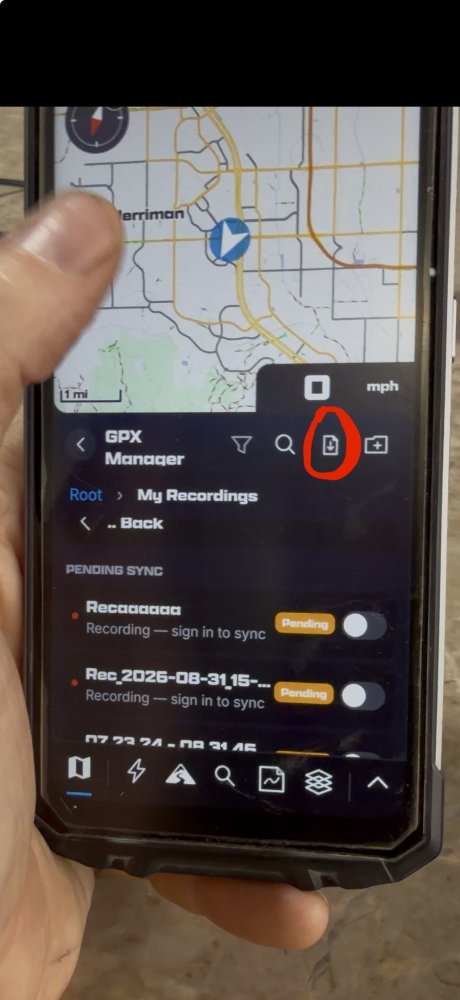
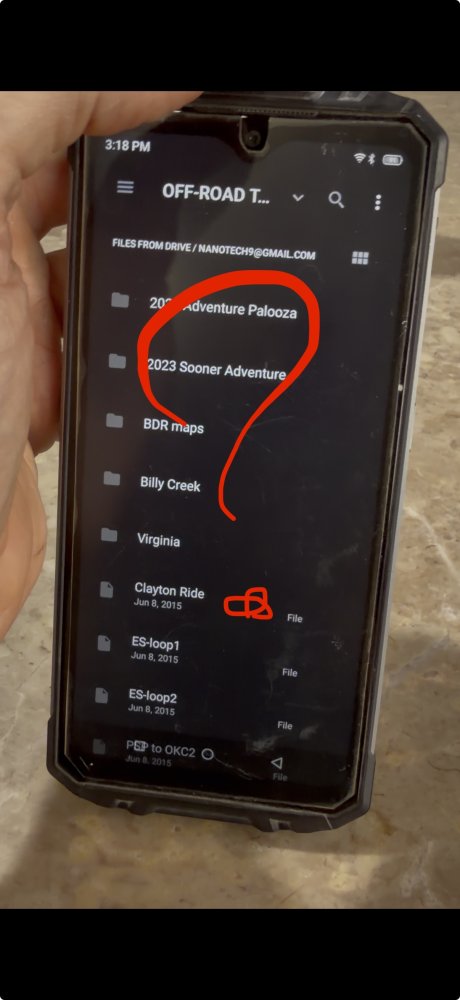
In the gpx manager, when you tap the paper with the down arrow in the middle right menu bar (download?) it takes me to what looks like a google drive page or maybe a file structure page.
If i do not want to select any file, there is no OBVIOUS way to get back to DMD2 GPX Manager screen without closing dmd2 and tapping the icon on the home screen again.
Maybe there is a hidden way.
Make it more obvious?
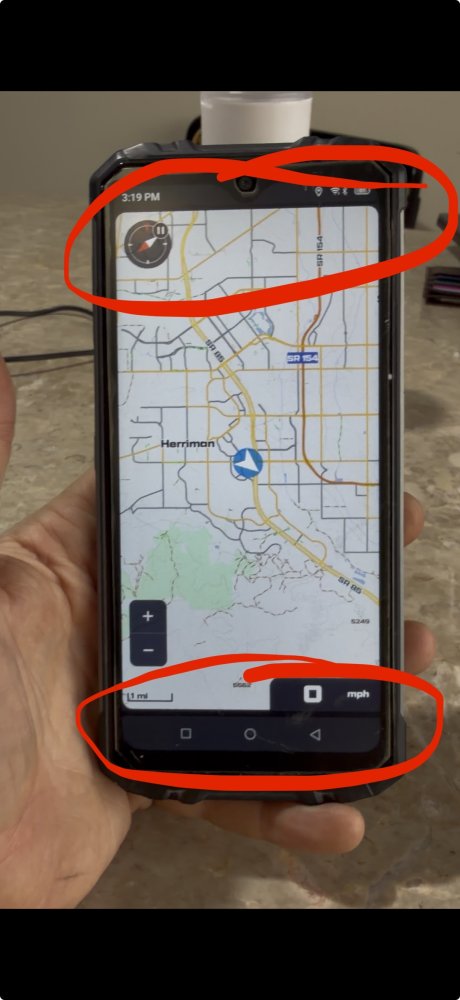
If i tap the andriodOS “back” arrow on the bottom right several times in a row ◀️ then i get back to a version of the DMD2 maps screen that is maybe full screen and no menus top or bottom.
Why it goes back there instead of the gpx manager?
How to get the menus back without closing the app and restarting it?
Discussion (1)
0
Vote
The screen that opens is Android's own file picker: press Back once to return to DMD2. The bug where pressing Back several times left a map with no menus is fixed in DMD2 4.039, and Back now returns to the view you were on.